
Turning one recipe into a grocery list is simple. Combining four recipes is where the trouble begins: onions appear in three formats, one recipe uses half a bunch of herbs, and a doubled dinner quietly needs twice the chicken.
The reliable order is plan, scale, combine, check the pantry, then shop. Recipe Scout automates the repetitive parts while keeping each ingredient connected to the recipe that requested it.
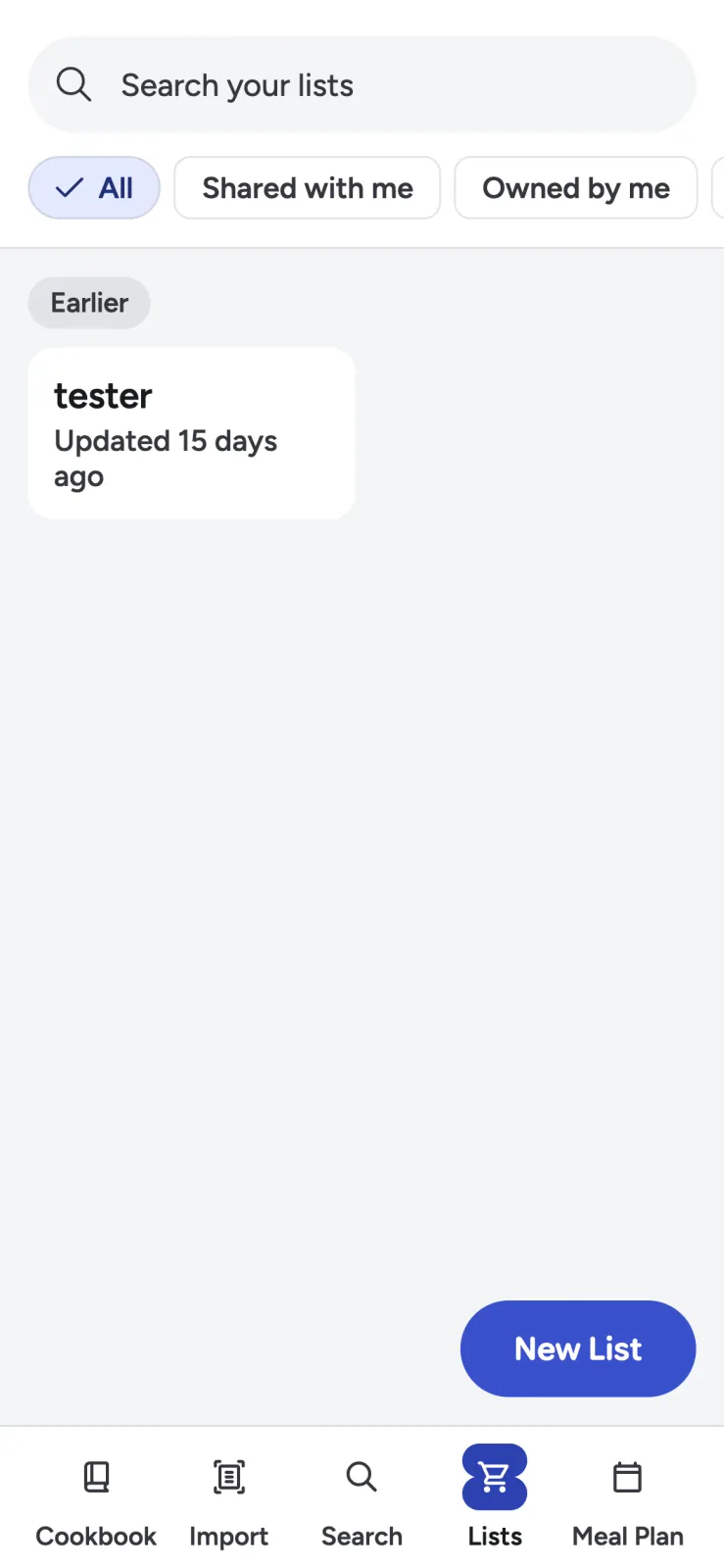
Choose the meals and serving sizes first
Do not build the list from recipes you might cook. Confirm the meals, the number of people, and whether you want leftovers.
For each dish:
- Open the saved recipe.
- Choose Lists from the recipe actions.
- Add all ingredients or select only the ones you need.
- Choose the multiplier you intend to cook.
- Add the ingredients to the same weekly list.
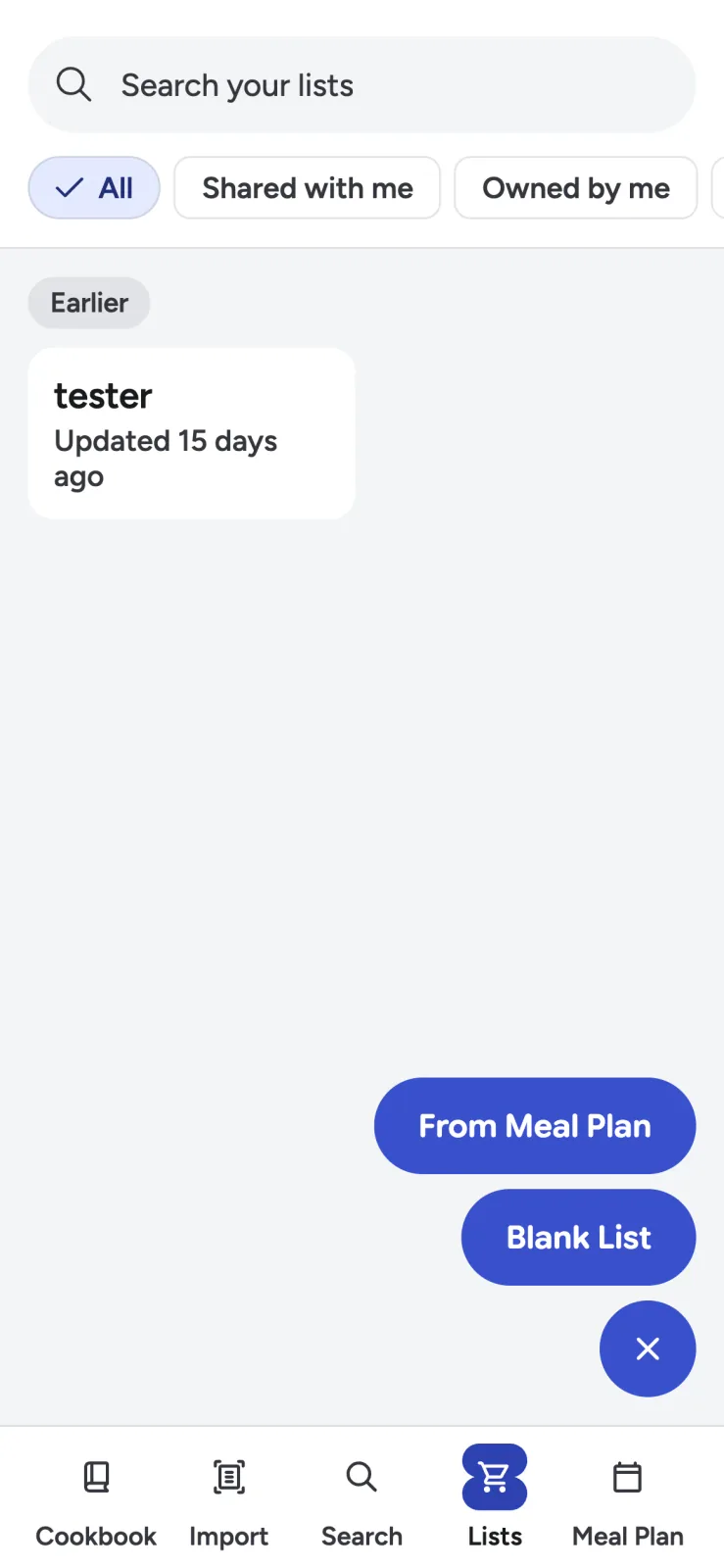
Scaling at this stage matters. If taco night will feed eight but the recipe serves four, add it at 2x before ingredients are merged. Otherwise the final list can look tidy and still be wrong.
See what merging actually changes
Imagine three dinners:
- Chicken tacos need 1 red onion, 2 limes, and 1 bunch cilantro.
- Lentil soup needs 1 yellow onion, 2 carrots, and 4 cups broth.
- Grain bowls need 1/2 red onion, 1 lime, 2 carrots, and 1/2 bunch cilantro.
A useful combined list should show 1 1/2 red onions, 1 yellow onion, 3 limes, 4 carrots, and 1 1/2 bunches of cilantro, while preserving which dish contributed each quantity. It should not flatten all onions into an ambiguous “2.5 onions” if the varieties matter.
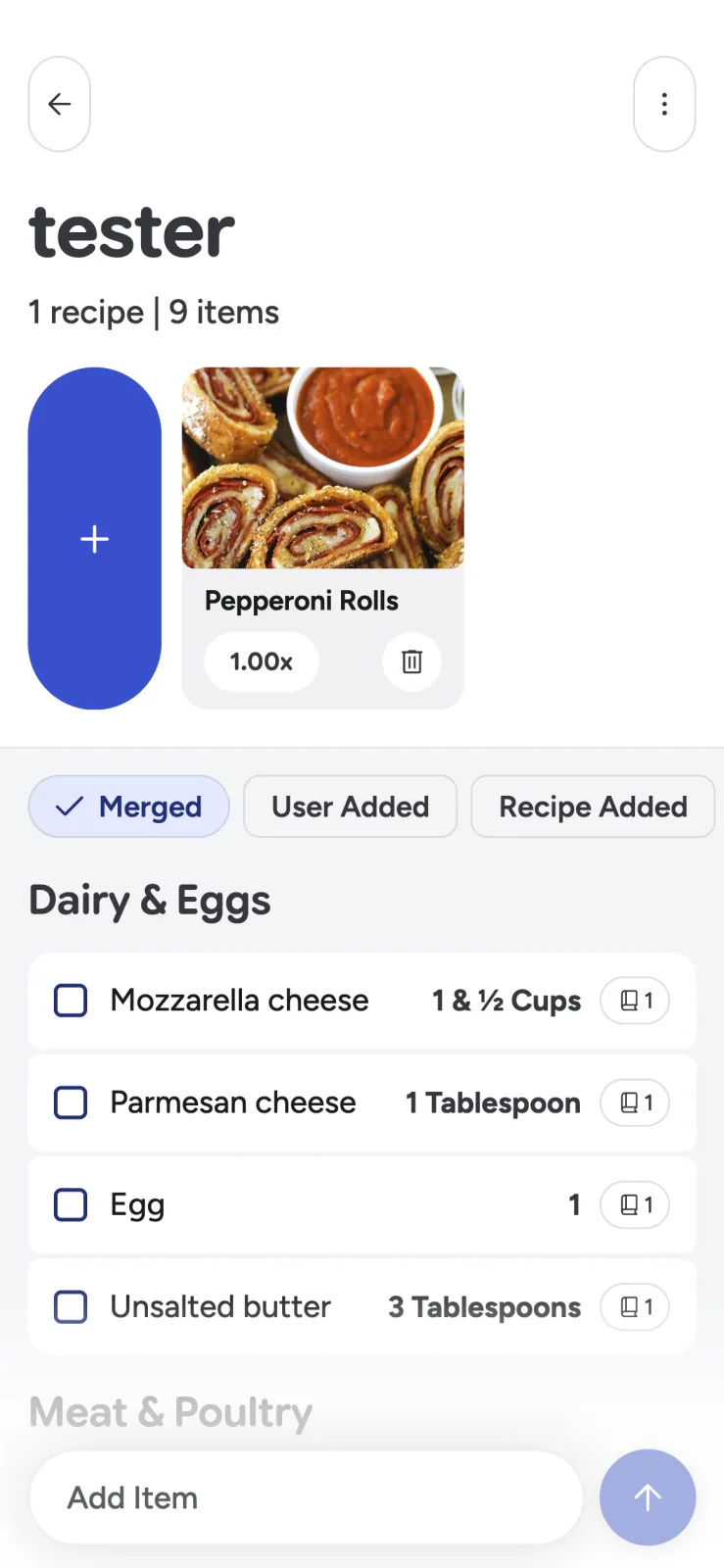
Recipe Scout merges compatible ingredient lines and retains source recipes. That provenance lets you investigate an odd total or remove the groceries associated with a cancelled meal.
Know when ingredients should not merge
Names that look similar are not always interchangeable. Review items such as:
- Salted and unsalted butter
- Fresh and dried herbs
- Granulated, brown, and powdered sugar
- Whole, crushed, and diced tomatoes
- Red, yellow, and sweet onions
- Weight and volume measures for flour
- “Milk or cream” alternatives
Preserve preparation notes that affect purchasing. “Two 14-ounce cans, drained” tells you more at the store than “28 ounces beans.” Optional garnishes should remain visibly optional.
Check what you already have
The pantry check is where an automatically generated list becomes a real shopping list. Look at cupboards, refrigerator, and freezer before leaving home.
Pay special attention to:
- Expiration dates on dairy, meat, and opened sauces
- Quantities in nearly empty packages
- Spices you own but cannot remember buying
- Frozen ingredients hidden behind larger items
- Produce that should be used before purchasing more
Remove what you have, but leave an item on the list if the remaining quantity is uncertain. “Buy one extra can” is cheaper than abandoning dinner halfway through.
The U.S. EPA recommends planning meals and shopping with a list as practical ways to reduce wasted food at home.
Arrange the list around the store
Recipe Scout categorizes items into sections such as produce, dairy and eggs, meat and poultry, grains and bread, sauces, and spices.
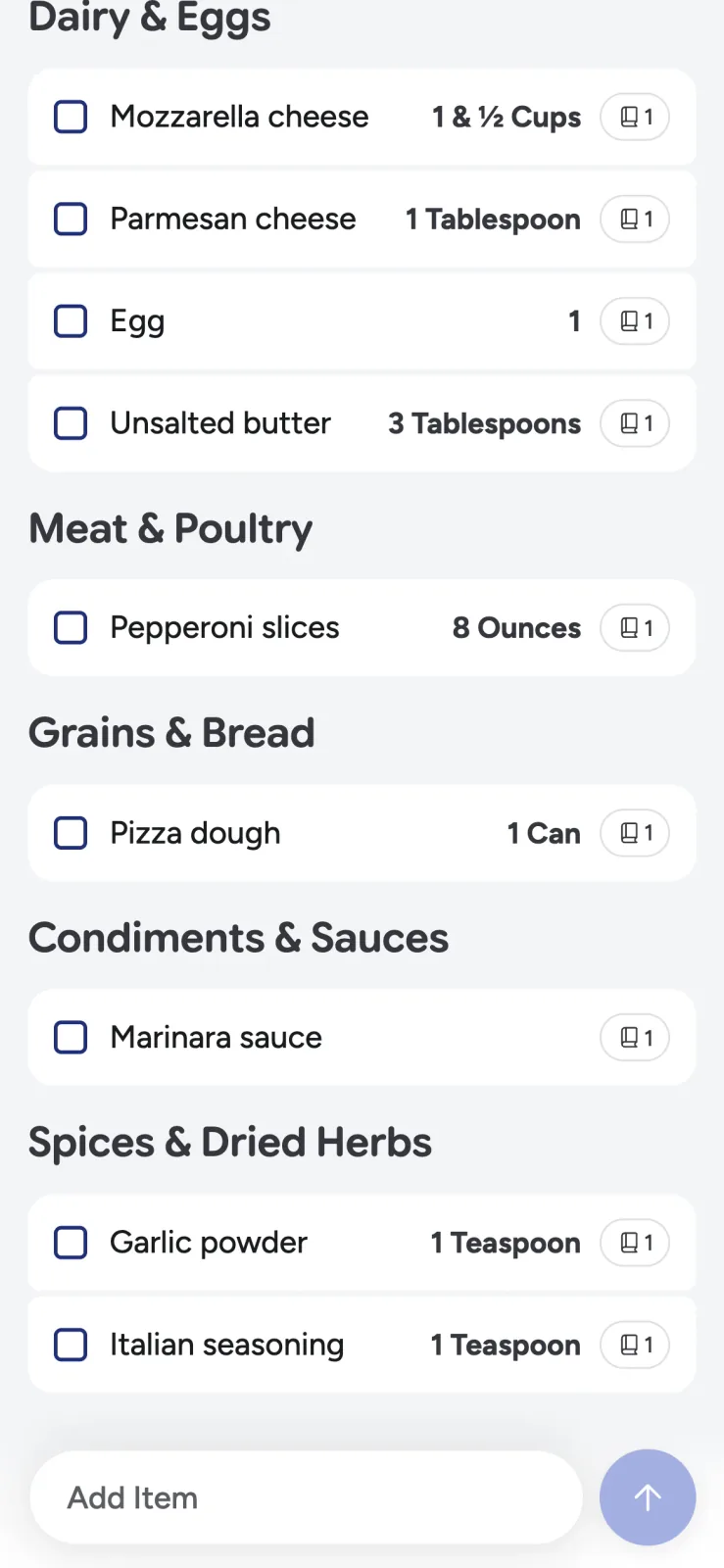
Categories reduce backtracking, but every store is different. If your regular market puts tortillas in the bakery rather than the international aisle, adjust the item or learn the list order that matches your route.
Add non-recipe items—coffee, fruit, cleaning supplies, pet food—to the same checklist. Keep useful purchase details in the item name: “6 firm pears,” “32 oz low-sodium broth,” or “unsalted butter, 2 sticks.”
Make substitutions before entering the aisle
Choice-based ingredients turn shopping into decision-making. Resolve “chicken or tofu,” “milk or cream,” and “fresh herbs if available” before the trip when possible.
If the decision depends on stock or price, keep both options on one line and include the needed quantity for each. That is clearer than two independent items that someone might buy together.
Share one source of truth
For households, use one named list for the trip. Agree that an item is checked only when it is in the cart, not when someone intends to pick it up.
Recipe Scout supports key list actions offline and can sync queued changes after connectivity returns. Eligible shared-list access lets multiple people view and edit the same list. See how to share recipes and grocery lists for conventions that prevent duplicate purchases.
Generate groceries from a meal-plan range
Recipe Scout Plus can create a merged list from a selected meal-plan date range and account for repeated recipes at their planned scale. You can also add recipes manually on other workflows.
If the week is not decided yet, begin with a realistic weekly meal plan rather than generating groceries from a wish list.
Do the thinking once
An automatic grocery list should remove copying, not hide decisions. Confirm the meals and servings, review the merge, check the pantry, and resolve alternatives. Then let the list handle categorization and progress in the store.
Try Recipe Scout by combining two dinners into one list. The test is whether every quantity remains understandable when you reach the aisle.


