
Recipes show up everywhere: a food blog, Instagram Reel, TikTok video, YouTube description, photo, email, or group chat. A bookmark remembers where you saw the dish. A structured recipe gives you the ingredient list and method when it is time to cook.
Recipe Scout turns supported links, images, and text into editable recipe cards while preserving a path back to the original source. The important habit is to review what was captured rather than assuming every import is complete.
Save a recipe from a website
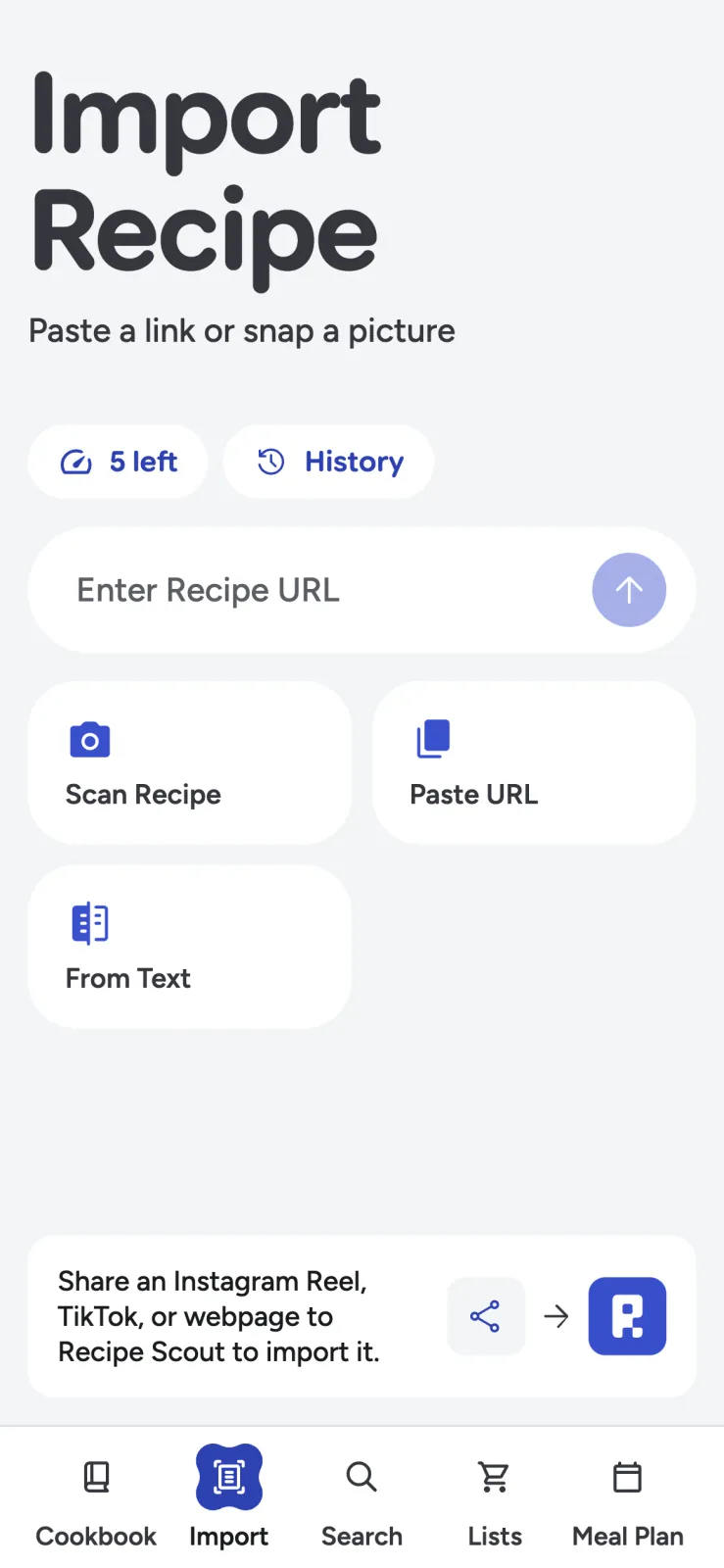
For a conventional recipe page:
- Copy the page URL.
- Open Import in Recipe Scout.
- Paste the link into the URL field.
- Start the import and wait for the result.
- Compare the title, yield, ingredients, and method with the source.
- Save only after correcting obvious errors.
Many recipe sites publish machine-readable recipe data, but pages vary widely. Some put sauces or garnishes in separate sections; others place essential details only in introductory notes. A structured importer can remove navigation and ad clutter without knowing which paragraph contains the author’s most important warning.
Keep the source link. It credits the publisher and gives you a way to revisit technique photos, substitutions, comments, and updates that do not fit neatly into a recipe card.
Use the share sheet while browsing
On a supported phone, open the system share sheet from the browser or social app and choose Recipe Scout. This is faster than switching apps and pasting a URL manually.
Treat quick sharing as an inbox. Import promising dishes while browsing, then review them before adding them to permanent collections. That prevents a digital cookbook from becoming another feed of recipes you never intend to make.
Save recipes from Instagram, TikTok, and YouTube
Social recipes are harder to capture because the information may be split across a spoken video, on-screen text, caption, comments, and creator bio link. For supported Instagram, TikTok, and YouTube URLs, Recipe Scout examines the context that is available to it. Depending on the post, that can include captions, descriptions, transcripts, carousel text, or a linked recipe page.
No importer can recover instructions that the creator never published. If the video shows “season to taste” but never names the spices, the honest result is incomplete. Do not fill a gap with invented certainty.
Before saving a social recipe, check:
- Does the ingredient list include everything added on camera?
- Are quantities actually stated or merely estimated from the video?
- Is the oven temperature visible?
- Does the caption contain corrections or a link to the full method?
- Is the listed yield plausible?
- Does the saved card identify the original creator?
If a post is mostly inspiration, label your result as an adaptation and note what you supplied yourself.
Paste text when there is no usable link
Use From Text for recipes in an email, note, forum post, or message. It is also a practical fallback when a page cannot be imported but you can copy the relevant section.
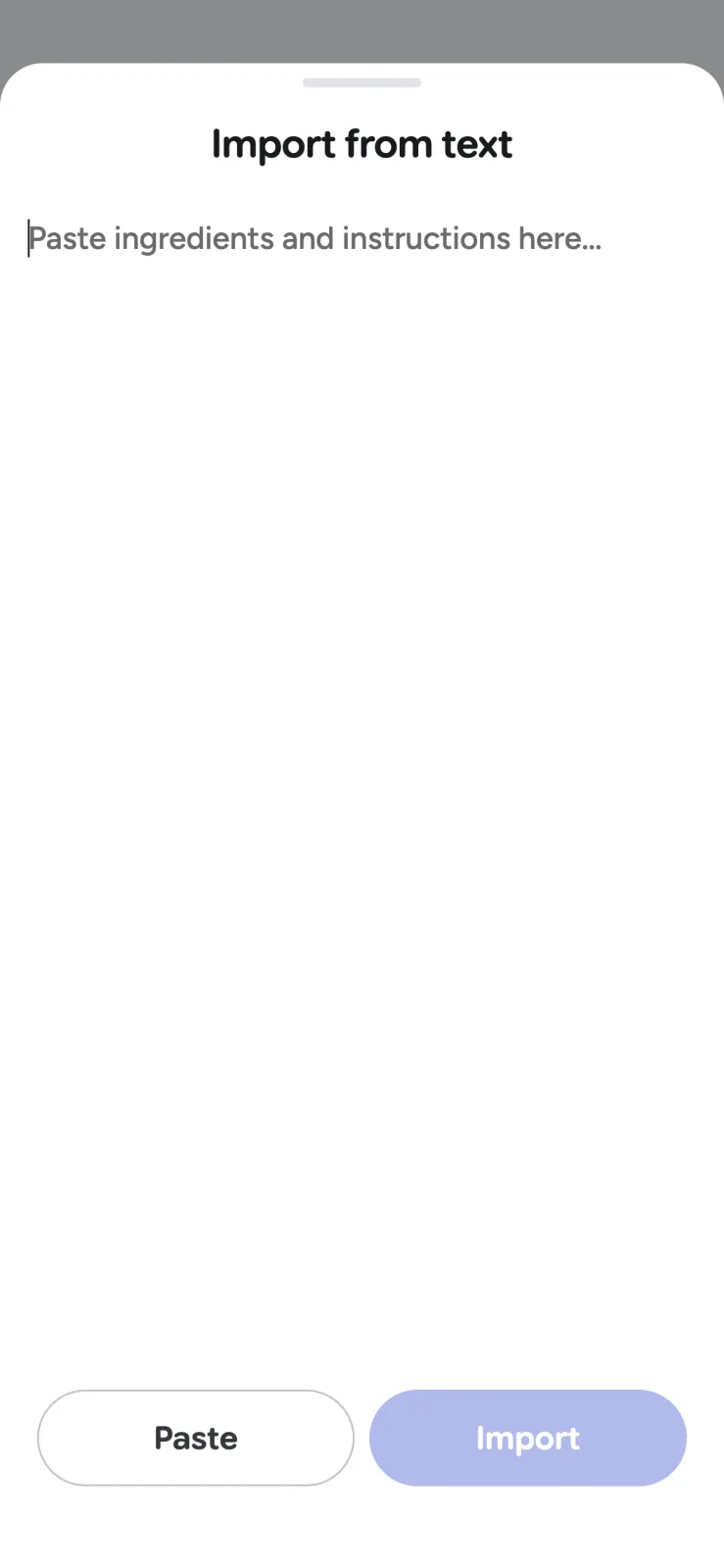
Include the title, yield, ingredient lines, and instructions in the pasted text when possible. Add the sender or publication in the source notes. If the text came from a copyrighted publication, keep the copy for personal use and share the original link rather than republishing someone else’s full recipe and commentary.
For paper cards and cookbook pages, use the more careful workflow in how to digitize handwritten recipes.
Review the import in 60 seconds
A short check prevents most cooking-time surprises:
- Yield: Does “serves 4” match the quantities?
- Ingredients: Is every item from the source present once?
- Units: Were grams, ounces, teaspoons, and tablespoons preserved?
- Fractions: Did 1/4 become 1 1/4, or vice versa?
- Temperatures: Are Fahrenheit and Celsius identified correctly?
- Sections: Are frosting, sauce, and garnish separated from the main dish?
- Steps: Did headings or notes become accidental instructions?
- Source: Can you get back to the creator’s page or post?
For meat, poultry, seafood, eggs, and leftovers, verify safety with a food thermometer and current official guidance rather than relying on a captured time alone. The USDA safe-temperature chart is a useful reference.
Organize only after the recipe earns a place
Start imported recipes in one “Recipes to try” collection. After cooking, add a useful note, mark the result, and move the winners into collections such as weeknight favorites, meal prep, or holiday baking.
This two-stage system separates discovery from confidence. It also makes search cleaner: an untested viral pasta should not look identical to the dinner you have successfully made twelve times.
Read how to organize recipe collections when the inbox starts growing.
A save should lead somewhere
The purpose of importing is not to collect more links. It is to make a recipe easier to find, plan, shop for, and cook while keeping the creator visible.
Try Recipe Scout with one website recipe and one social post. If both become accurate, source-aware cards you can use later, the system is doing its job.


